Use band plans
Band plans add labeled frequency ranges to the workspace. They are operating references and do not prevent tuning or transmission.
Select a plan
Open Settings > Band Plans. Under Band plan, select the plan that matches your region and operating needs.
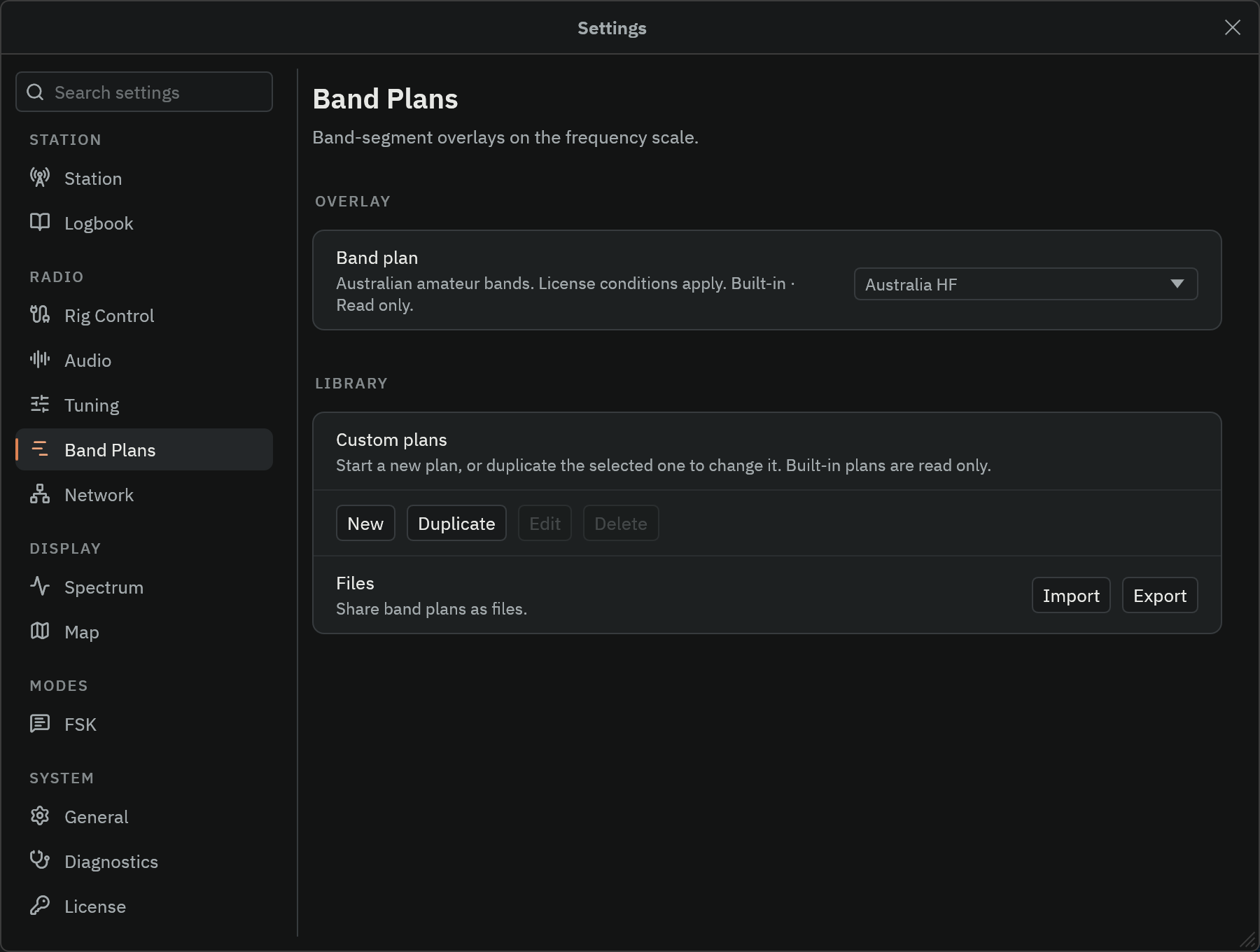
Select Off to hide the plan. The display can show range labels and categories from the selected plan. Zoom in when adjacent labels overlap.
Make an editable copy
- Open
Settings>Band Plansand selectAustralia HF. - Select
Duplicate. - Give the copy a name that identifies your station or purpose.
- Change a range label, category, color, or frequency boundary.
- Review any validation messages.
- Select
Saveand check the overlay.
Built-in plans are read-only. Use Edit to change a saved custom plan, or New to create one from an empty draft. Delete removes a custom plan after confirmation.
Each range needs a label and a start frequency below its end frequency. Categories group the meaning of ranges. Colors distinguish them on the display.
Ranges cannot overlap. Adjacent ranges can share a boundary. Frequency fields accept explicit units such as 14 MHz or 14000 kHz. Without a suffix, values are hertz.
Understand drafts and saved plans
The displayed overlay keeps using the saved plan while you edit. Save applies the draft. Cancel leaves the saved plan intact.
An action that would discard unsaved work presents a choice. Select Continue editing to keep the draft or Discard changes to proceed.
Export uses the saved plan. Save your changes before exporting them.
Import a plan
Select the import action and choose a Radio Bench band-plan JSON file. Review the imported plan before you use it on air.
If its ID matches a custom plan, choose Replace existing, Import as copy, or Cancel. Built-in IDs cannot be replaced. Import those as a copy.
Regulations and voluntary operating plans can change. Confirm current requirements with the authority and amateur organization for your location.
Export a plan
Export creates a JSON copy that Radio Bench can import later. Keep a copy before you replace a plan with extensive custom changes.
Advanced JSON reference
This example defines one display range, not a complete regional allocation. JSON frequencies are integer hertz. The editor accepts unit suffixes, but these JSON fields do not.
{
  "schema_version": 1,
  "name": "Example listening range",
  "ranges": [
    {
      "label": "Listening",
      "category": "Reference",
      "start_hz": 14200000,
      "end_hz": 14250000,
      "color": "#4CA6A8"
    }
  ]
}
Omitting id lets import create a custom identity. Keep the exported ID when you intend to update an existing custom plan.